After installing: the setup checklist
A new installation runs with almost nothing configured, and most of what is missing does not fail at once. It fails later, somewhere else, and often without saying so: an invitation that never arrives, a shared link that opens localhost, files that vanish when a pod restarts, people who sign in and reach no data.
Admin › Setup checklist lists every piece, essentials first. Each one is checked against how Qry is running now, not against whether a form was saved: email shows the error of the last message it could not send, and models are judged as a person with no special access would meet them, not as an administrator, who is given every model.
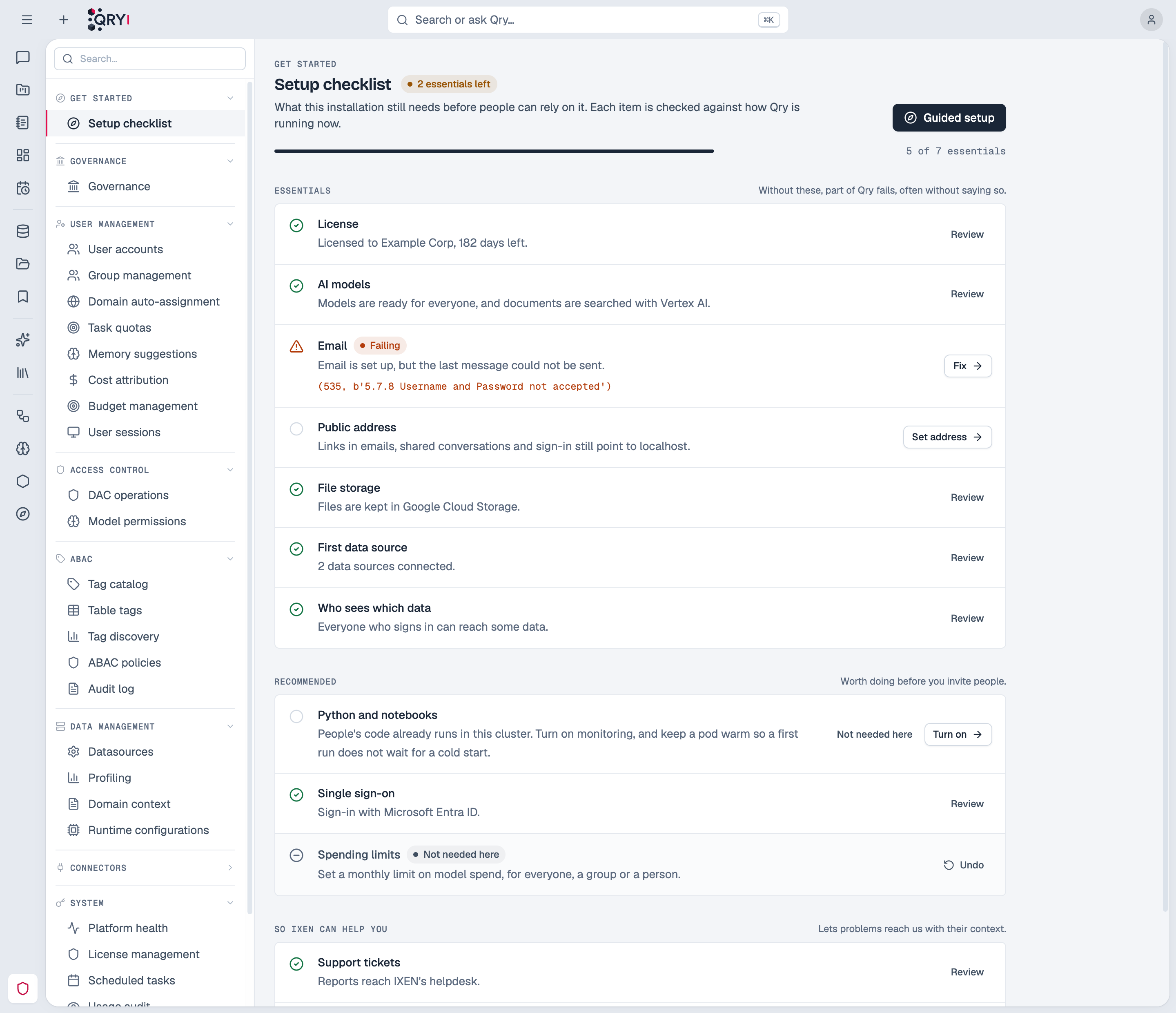
Each item links to the setting that fixes it. Until every essential is done, administrators see a reminder at the top of every page:

The guided setup
The first administrator lands in a guided setup right after creating their account. It walks four steps with the real settings forms, each with its state:
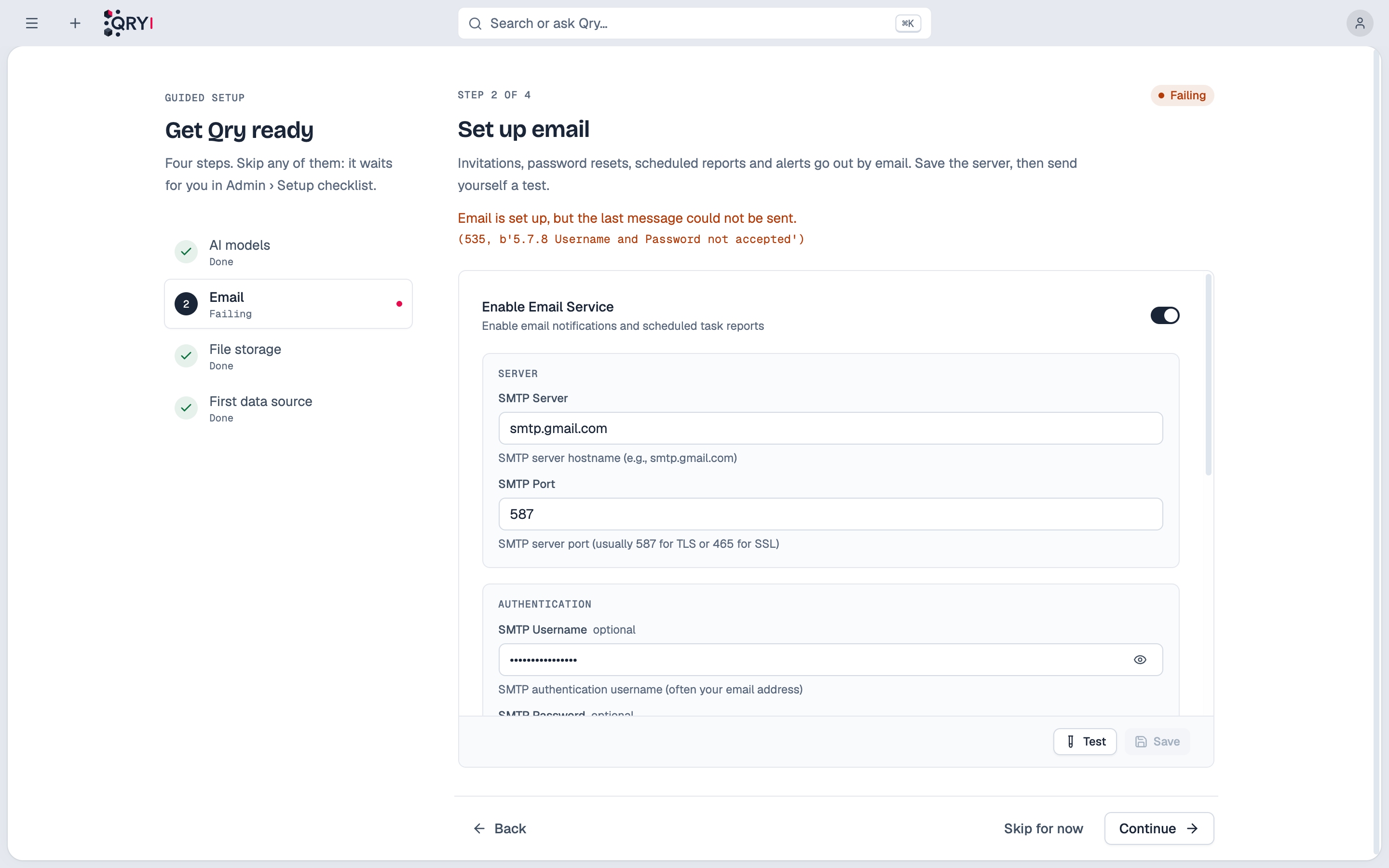
- AI models: a provider (Vertex AI, Azure AI Foundry, Anthropic, OpenAI or Gemini). Saving it syncs the provider's models and, on a new installation, enables the newest of each family for everyone. The embeddings that search documents and memory come from the same credentials (embeddings).
- Email: the SMTP server. Save it, then send yourself a test.
- File storage: Google Cloud Storage, Amazon S3 or Azure Blob Storage.
- First data source: Qry reads its tables right away, so search and the catalog fill in within minutes.
Any step can be skipped: it stays pending on the checklist. At the end, the guided setup lists what is still missing:
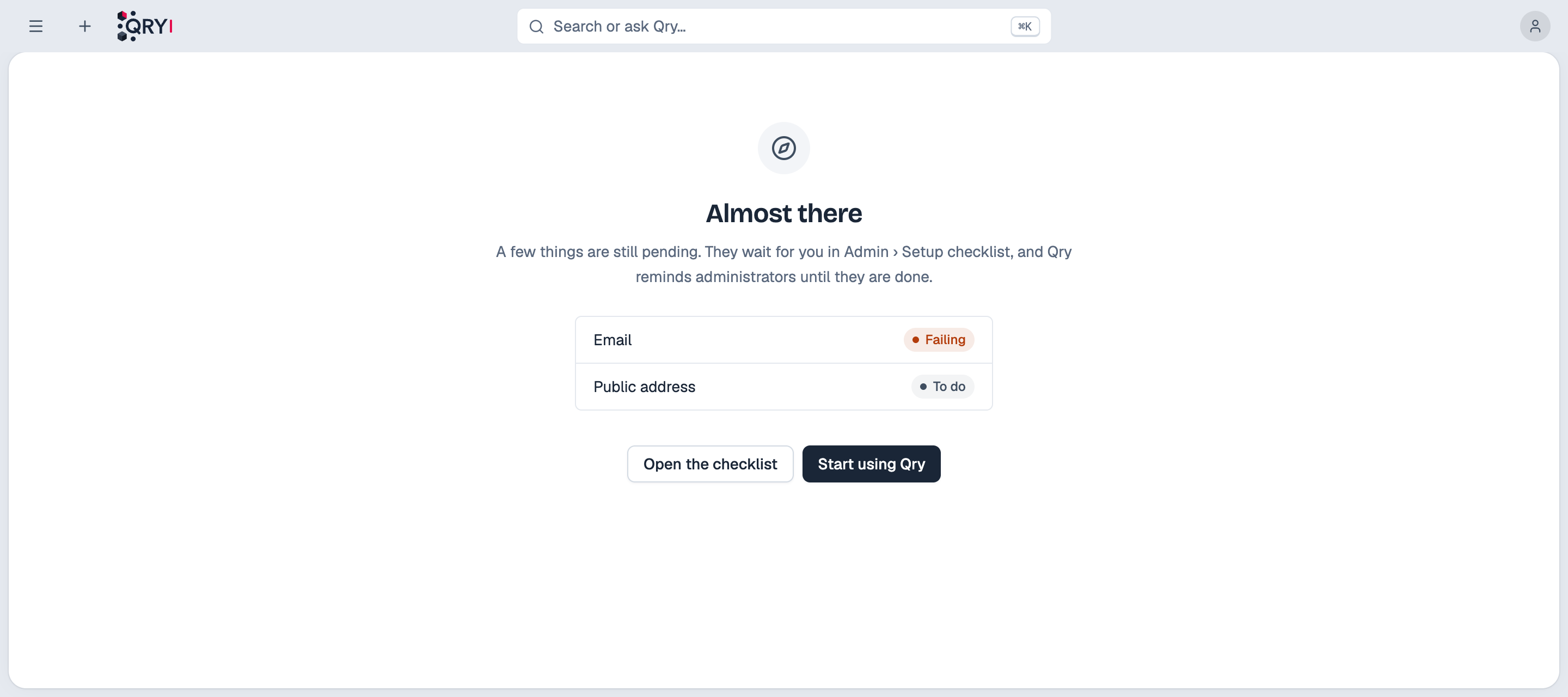
Until every essential is done, Admin opens on the checklist.
What is checked
| Item | Essential | What goes wrong without it |
|---|---|---|
| License | Yes | Qry works for one person and one data source, for 30 days |
| AI models | Yes | No answers; or answers only for administrators, when the default model is one a normal user cannot use |
| Yes | Invitations, password resets, scheduled reports and alerts are never sent; public sign-up stays closed | |
| Public address | Yes | Links in emails, shared conversations and sign-in point to localhost |
| File storage | Yes | Files are kept inside the server's container: lost on restart, unreadable by notebooks |
| First data source | Yes | Nothing to ask about |
| Who sees which data | Yes | People who can sign in but reach no data: every question they ask fails |
| Python and notebooks | Recommended | Qry cannot start the pods where people's code runs, or a first run waits for a cold start |
| Single sign-on | Recommended | Everyone needs a Qry password |
| Spending limits | Recommended | No cap on model spend |
| Support tickets, diagnostics for IXEN | For support | Problems do not reach IXEN with their context |
A recommended item can be marked Not needed here, and brought back with one click. "Who sees which data" can be marked too, for installations where some people only use Nexus.
Email and sign-up
Without a working mail server Qry no longer pretends: sending reports that it failed, the chat's email tool says email is not configured, "forgot password" says reset by email is unavailable on this installation, and public sign-up is closed, because a new account would wait forever for its verification email. Administrators create accounts in the meantime.
The public address
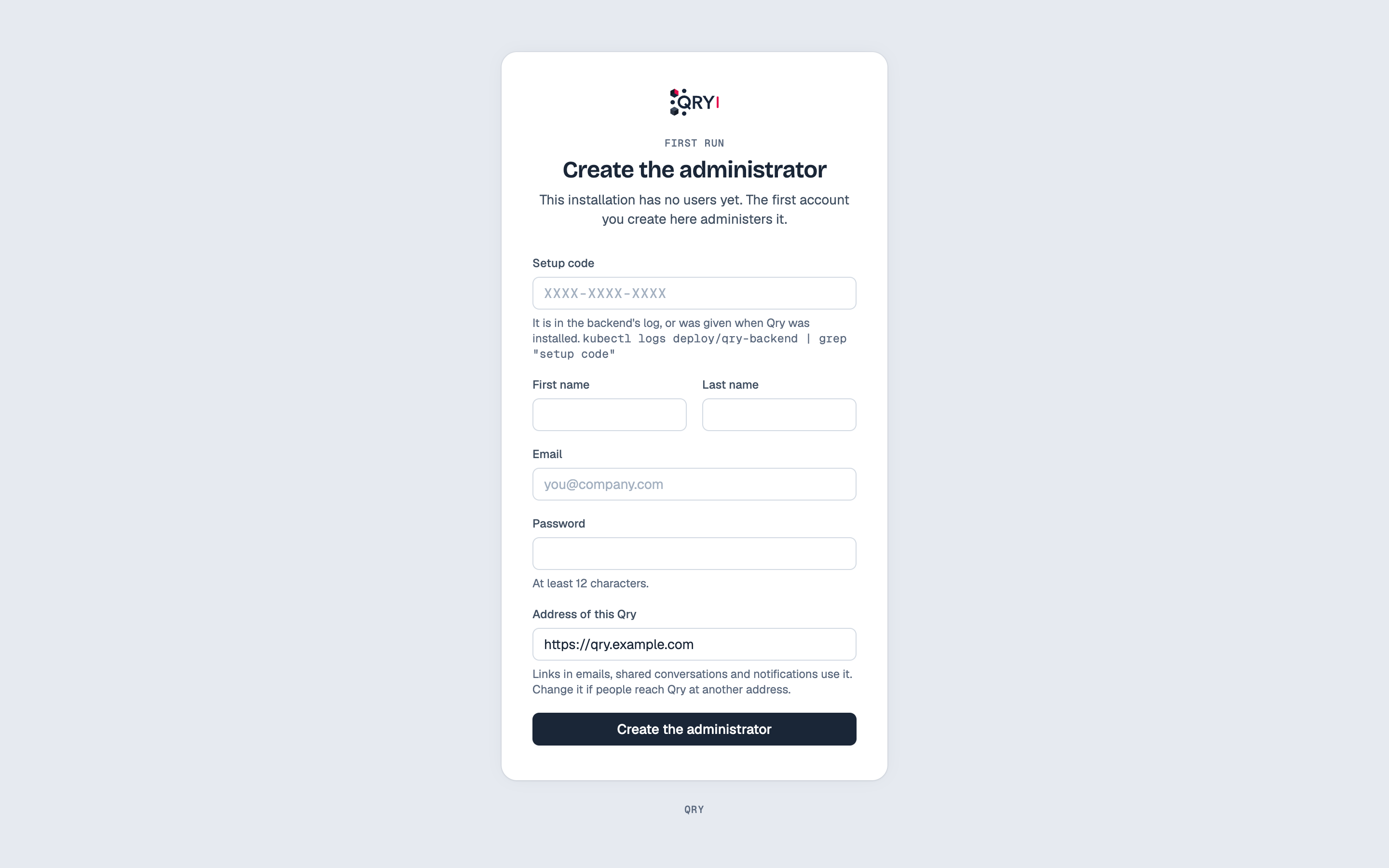
The first-run screen proposes the address in the browser, and saves it when the first administrator is created. With Helm, bootstrap.publicUrl sets it ahead of time; without it, the chart uses the first ingress host.
From the command line
qry doctor reports the same list as setup-incomplete:
qry doctor --plane product