Publishing a data product
A data product in QRY is a curated, versioned, governed asset — a table, view, or saved query — that you publish for your team or external systems to consume. QRY Nexus is where data products are managed.
A published product has a lifecycle (draft → published → deprecated), a quality score, and access controls (row filters, column masks). External consumers go through the API gateway with their own API keys and rate limits.
Goal
You finish this page with a draft data product that you've reviewed, published, and shared with your team.
Prerequisites
- An existing table, view, or saved query you want to expose.
- The create data products permission in your role.
Steps
1. Open Nexus
Hover the menu (≡) and click Nexus. The IDE-style explorer opens with the Discover view selected.
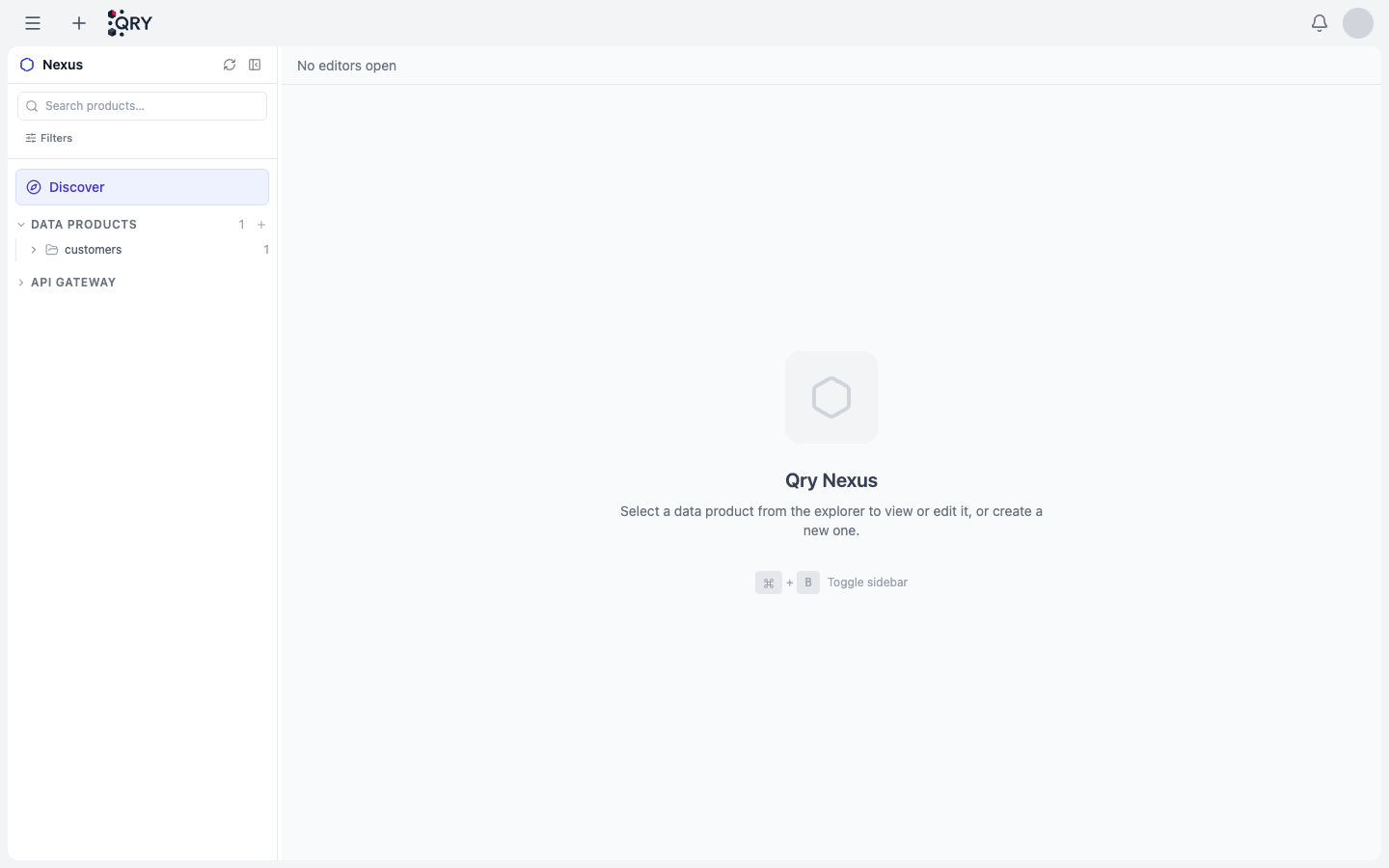
The left panel has two sections:
- Data Products — the products you (or your team) have published.
- API Gateway — collapsed by default; this is where API keys for external consumers live.
2. Create a new data product
Click the + next to the Data Products heading. QRY asks for:
- Name — public identifier of the product.
- Source — the table, view, or saved query the product wraps.
- Description — what consumers should know.
- Owner — defaults to you; can be a team or workspace.
QRY creates the product in draft state and opens it in the editor.
3. Curate the schema
In the editor, mark each column as exposed, hidden, or masked. For exposed columns, you can rename them (consumer-facing name vs. underlying column name) and add per-column descriptions.
Add row filters if consumers should only see a subset of rows (e.g. tenant-scoped data). The filter is a SQL WHERE fragment that's appended to every query against the product.
4. Set quality expectations (optional)
Define quality checks (non-null, unique, valid range, etc.). The quality score on the product card reflects pass-rate over the most recent runs.
5. Publish
Click Publish when the draft is ready. The product moves from draft to published and is visible to everyone with read access in your tenant.
6. (Optional) Expose via API
For external consumers, expand API Gateway and issue an API key. Keys are prefixed qry_ and stored as SHA-256 hashes server-side — once issued, you only see the plaintext once, so save it somewhere safe.
The gateway enforces sliding-window rate limits (configurable per key) and writes every call to an audit log.
Result
A published data product visible under Data Products in Nexus, optionally consumable via API.
Common issues
The "+" next to Data Products is missing. You don't have the create data products permission. Ask an admin.
Publishing fails with "schema validation error". Every exposed column must have a description. Hidden columns don't need one.
API consumer gets 403 even with a valid key. Either the key has been revoked (check audit log) or the consumer is hitting an endpoint the key isn't scoped to. Keys can be scoped to specific products at issuance time.
Quality score is red but my data is fine. Quality checks run on a schedule (default hourly). The score reflects the latest run. If you've fixed the upstream data, manually trigger a re-check from the product details page.
See also
- Consuming via API — issuing keys, calling endpoints, rate limits.
- QRY Nexus reference — full feature reference.
- ABAC — tag-based access control that complements product-level filters.