Ratings and answer checks
A change that improves one answer can quietly break another: a new model, a reworded skill, an upgrade. Answer checks are the questions your installation keeps asking, so that after a change you can see which answers still hold — and, when one stops, what changed.
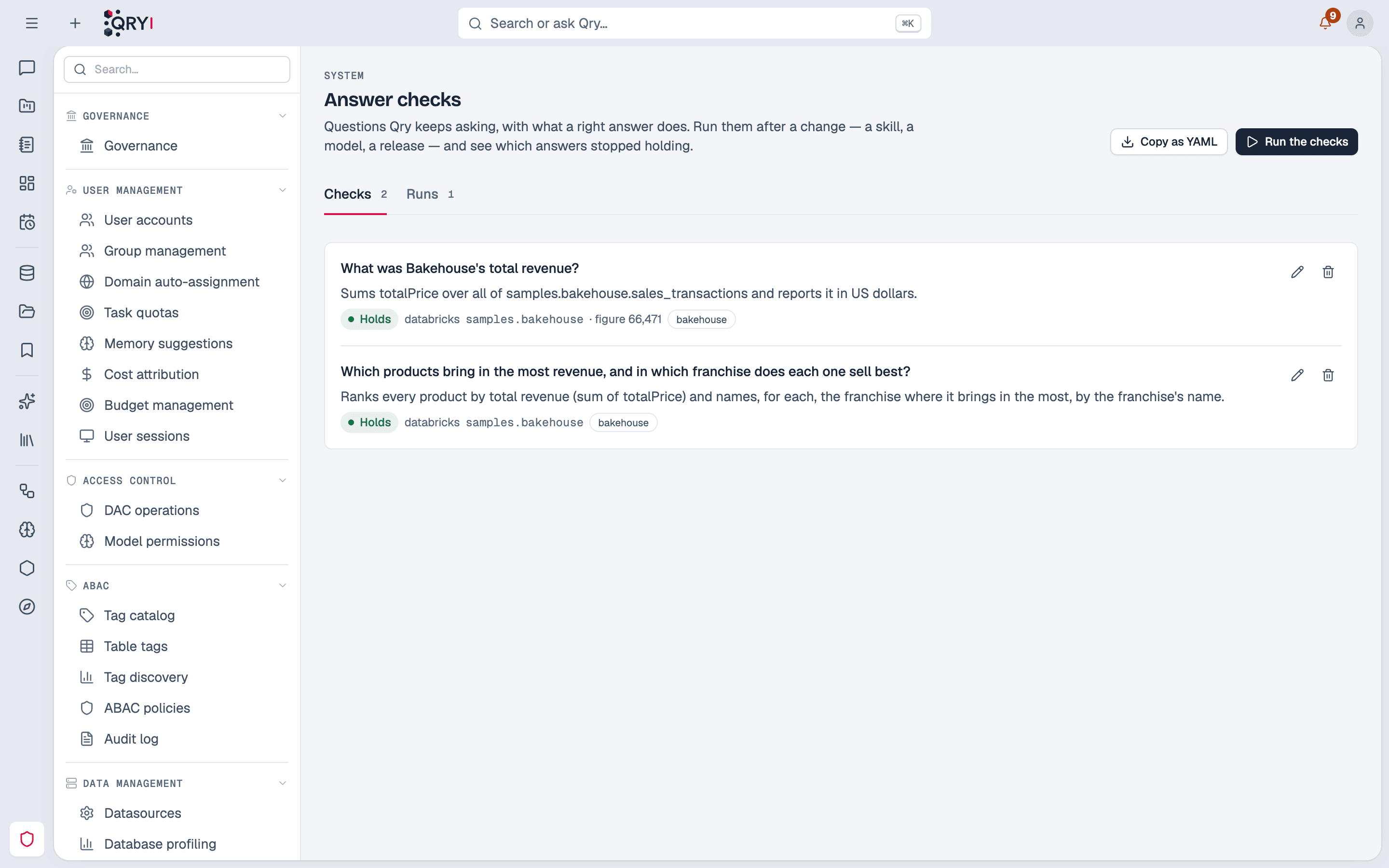
Admin › System › Answer checks (administrators).
From a rated answer
The quickest way to create a check is from an answer someone rated. Admin › System › Answer ratings lists every 👍 and 👎 with its reasons and note; from any of them, create a check. The form comes filled from the answer's record: the question, where it was asked, the tables a good answer read, and the SQL it ran beside it for reference. What you write yourself is what the right answer does.
What a check is
| Field | Meaning |
|---|---|
| Question | Asked as written, in a new conversation. |
| Where it is asked | Datasource, catalog, schema and workspace — the workspace's skills and memory apply as they would for its members. |
| What the right answer does | In business terms: "ranks every product by revenue and names, for each, the franchise where it sells most". A judge model reads the answer's queries against this. |
| It must use / must not use | Names that must or must not appear in the queries — a table, a view, a measure. Checked without any model. |
| Reference figure | Optional, for a period that no longer moves (a closed year): the figure, a tolerance, and where it comes from ("Finance weekly report", a Power BI report). Read from the rows the answer's queries returned. |
| Whose access it checks | The person the question is asked for. See below. |
| Tags | A run can ask only the checks with one tag. |
Running the checks
Run the checks, choose the model that answers, optionally a tag, and whether to read the workspaces' memory. Each question is asked:
- as you, the administrator who starts the run, in a new conversation hidden from your history;
- through the same pipeline as any chat question — skills, permissions, tools — without connectors;
- reading the workspace's approved memory notes as its members get them, or none — a run never writes memory, so what one run notes down cannot answer the next. Leave memory out to measure the skills alone.
A check is graded in order, and the first step that fails decides:
- The answer — it completed.
- Tables — the names it must and must not use. No model involved.
- The query — a judge model compares the queries with what the right answer does. The judge grades the query, never the figure: data moves, and a figure that was right last month is not wrong today.
- The figure — only for checks with a reference figure.
- Access of who asked — every query the answer ran is checked against the permissions of the person the check is for, without running it. A right answer that person could not have got reads Right, but not for who asked: the answer was correct for the administrator who ran it, not for the user it is meant for. On a datasource that runs queries as each user, Qry's grants are what can be checked, and the result says so.
Results read Holds, Wrong (with the step it stopped at), Right, but not for who asked, or Could not grade — a check the judge could not decide is never counted as passing.
What changed between runs
Each run keeps the model that answered, the judge, the Qry release, a fingerprint of the active skills and of the memory it read, and its answers' cost. A run says what differs from the previous one — the model, the release, the skills, the memory, the judge — and which checks changed state. So when an answer stops holding, the run tells you which change came with it.
The judge is Answer Checks Judge Model in Admin › System configuration › AI & Models › AI assistant; without one, the Skills Authoring Model judges. Give it a capable model: it adjudicates, and a weak judge lets wrong queries pass. qry models audit reports it when the model it names no longer exists.
Cost
Each check is a full chat turn plus a judge call. Measured with Claude Sonnet 5.5 on Databricks samples: about 25 seconds and US$0.15–0.25 per check. The run shows its cost.
Copy as YAML
Copy as YAML exports the checks in the format of Qry's evaluation harness. The export holds your installation's questions and SQL: keep it where you keep other internal material.