How an answer was made
Every answer Qry gives keeps a record of how it was made. Anyone who can open the conversation can read it: its owner, the members of its workspace, and administrators.
The row of actions
Under each answer there is one row of actions: copy, 👍 / 👎, generate again, how this answer was made, and when it was given. On the last answer the row is always in view; on earlier ones it appears when you point at the answer or move to it with the keyboard (on touch screens it is always there). A thumb you have pressed stays visible.
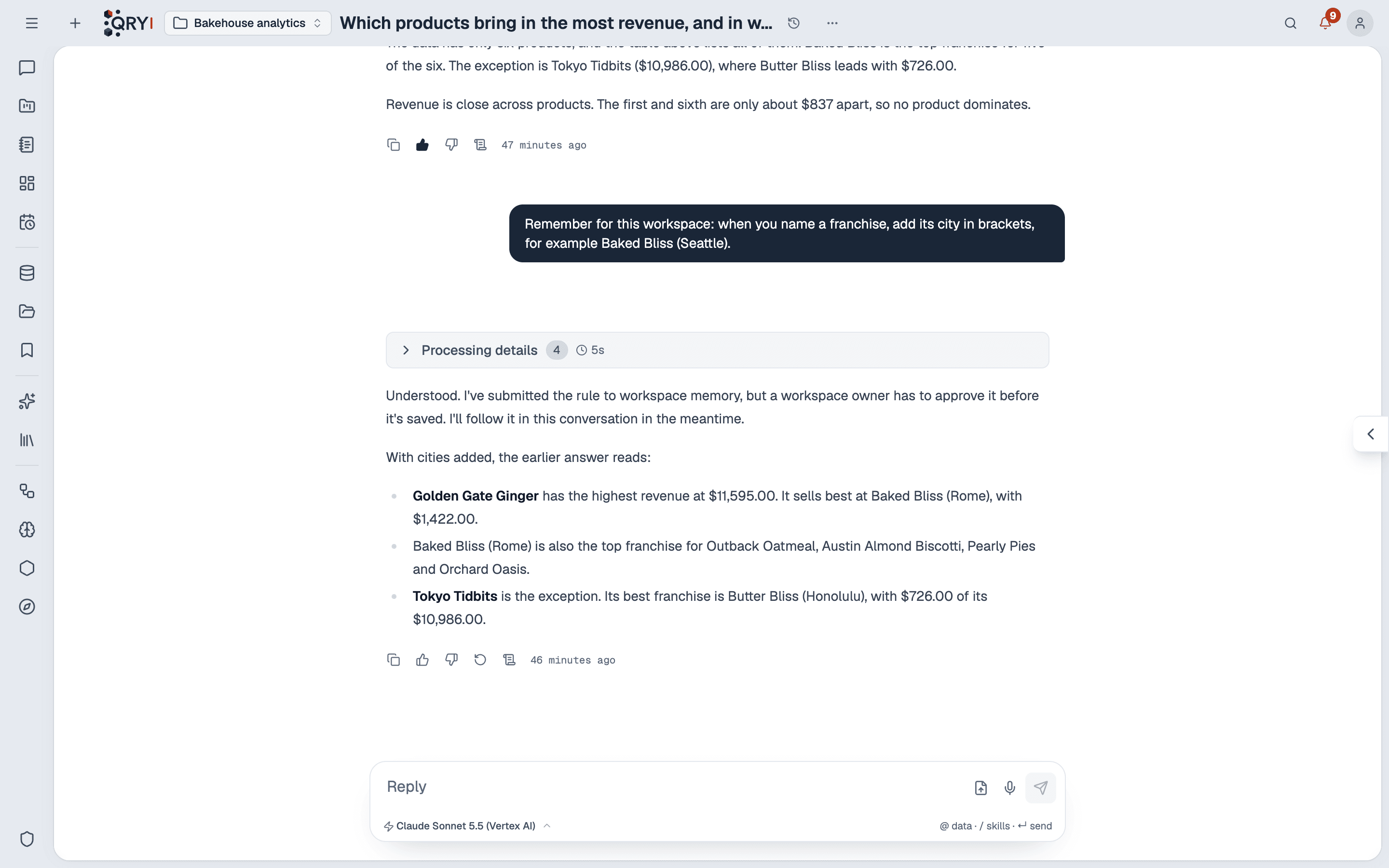
Generate again is offered on the last answer only. It asks the same question again from that point; earlier answers stay as they were.
What the record shows
Click How this answer was made (the scroll icon).
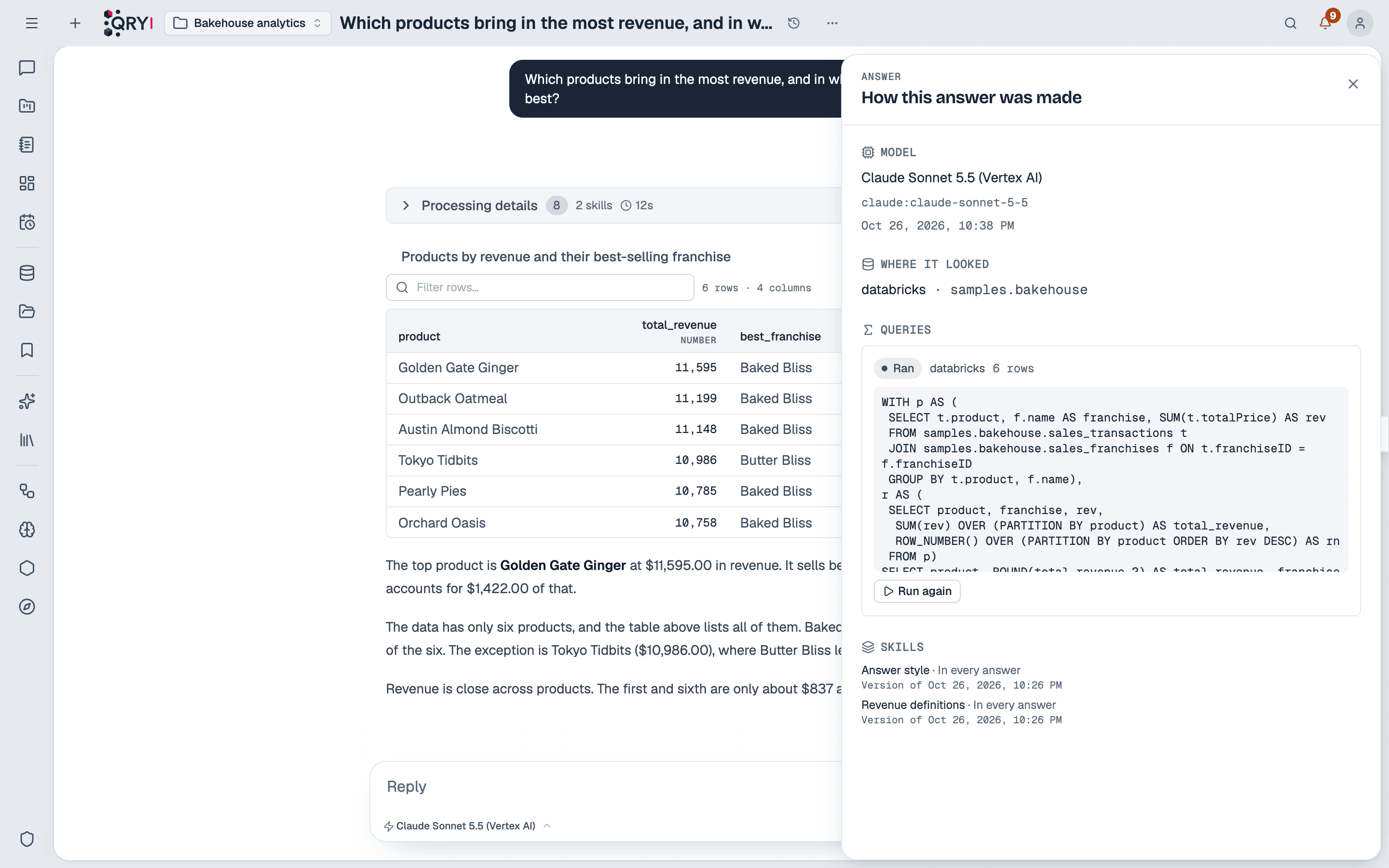
| Section | What it says |
|---|---|
| Model | The model that answered, as it is named in the model picker, with its exact identifier beneath, and when. |
| Where it looked | The datasource, catalog and schema the answer worked in — its own, even if the conversation's selection changed later. |
| Chosen in the question | Tables or skills the person pinned with @ and /. |
| Queries | Each statement sent to a datasource, whether it ran or failed, and how many rows it returned. |
| Metric views | Databricks metric views the answer read. |
| Skills | Each skill that reached the answer, how it reached it — in every answer, read for this question, documents it could search or chosen by you — and the version in force when it answered. |
| Documents cited | The passages the answer quoted from a workspace's files or a knowledge skill. |
Two limits:
- A query on a datasource you cannot open is shown without its SQL, columns or result. You see that it ran, not what it read. A workspace can be shared by people with different grants.
- Answers given before the record existed have none. The card says so.
Run again
Run again under a query repeats that statement against today's data and compares the result with the first run: same result, how many rows are new and how many are gone, or — when the first result is no longer kept — how many rows there were then and now.
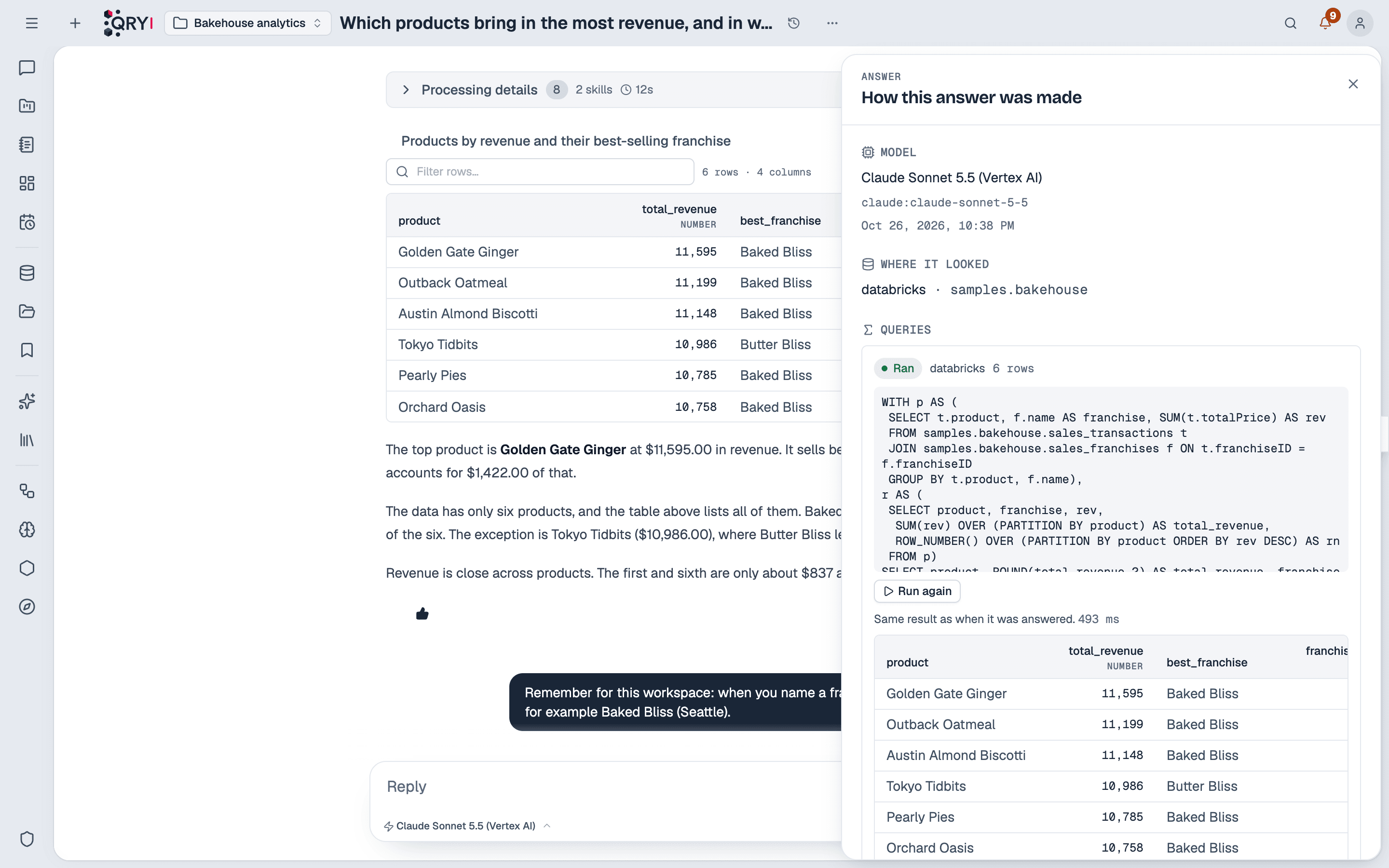
- The model is not involved. The statement is the one recorded, run through the same permission checks as any query, as you.
- Only the person the answer was given to sees the button. The SQL was written by the model; Qry runs it only for the person who asked for it, never as someone else. Workspace members see the record without it.
- Only statements that read. Qry checks the statement before running it and refuses anything that could change data: an answer that once wrote something is never repeated by a click.
Rating an answer
👍 counts at once. 👎 counts at once too, and then asks — beside the button — what went wrong: the wrong data, a wrong figure, it misread the question, or it left something out, plus an optional note. All of it is optional.
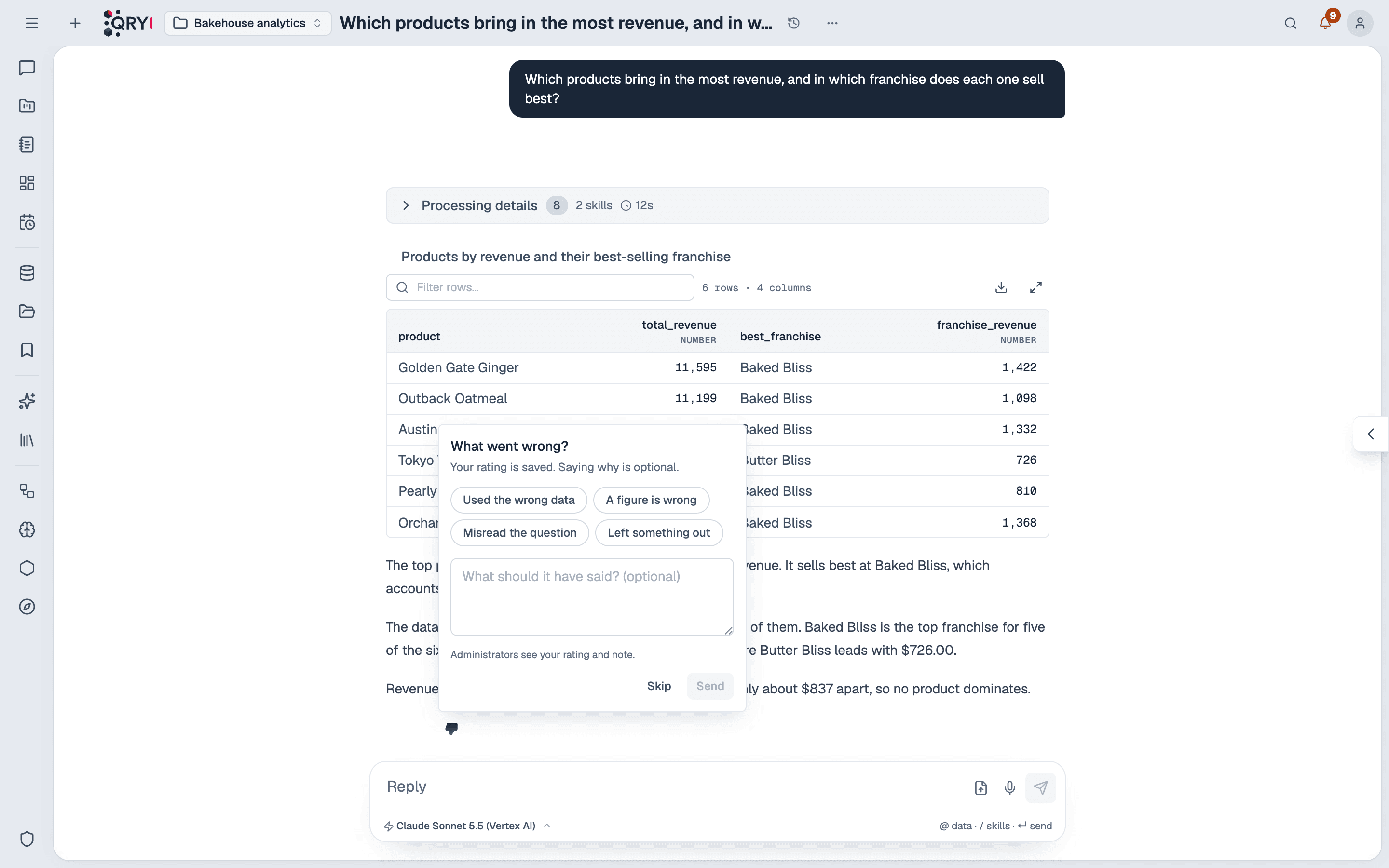
Ratings are one per person and answer: pressing the other thumb changes yours, pressing yours again takes it back. Administrators see them under Admin › System › Answer ratings, and any rated answer can become an answer check.
Adding an answer to a dashboard
Add to dashboard uses the datasource, catalog and schema the query actually ran in, taken from the record — not whatever is selected in the chat at the time you click.