The change record
Admin › Governance (administrators) has four tabs: State — what guides answers today — Readiness — how ready each schema is — Domains — the data areas a conversation can ask in — and Change record — who changed it, and who approved it.
State
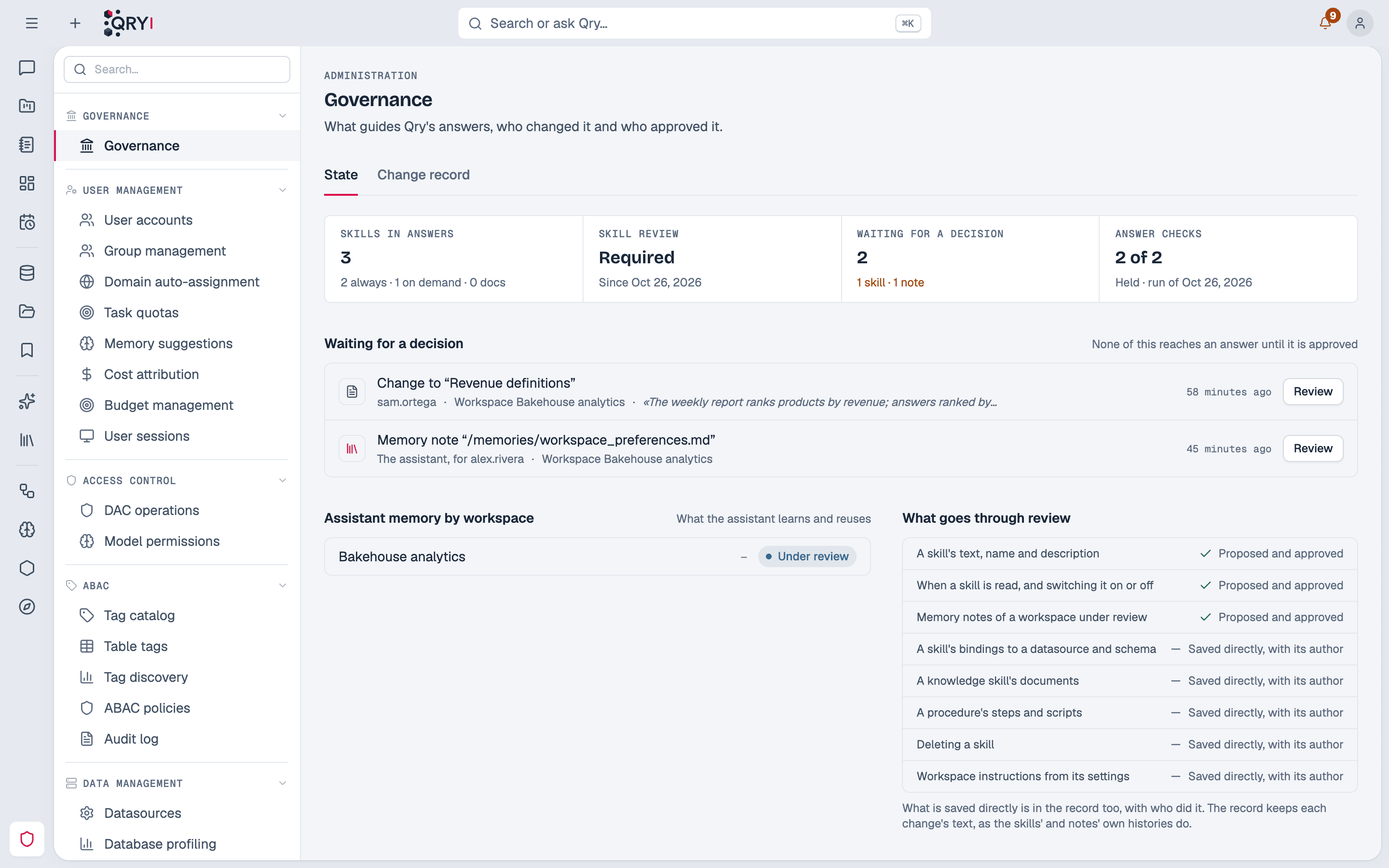
- Skills in answers — the shared skills that are on: read in every answer, read when a question needs them, and those that hold documents.
- Skill review — whether every change must be proposed and approved, and since when.
- Waiting for a decision — skill proposals, memory notes and column descriptions pending, with who proposed each and a Review button that opens it where it is decided. None of this reaches an answer until it is approved.
- Answer checks — how many held in the last run, and when.
- Assistant memory by workspace — each workspace's mode and how many notes it keeps.
- What goes through review — which changes are proposed and approved, and which are saved directly with their author.
Change record
Every change to what guides answers is recorded where it happens, in the same transaction:
- shared skills — every save, proposal, approval, rejection and withdrawal; bindings; documents; procedure steps and scripts; deletion;
- workspace memory — the assistant's notes (for whom it wrote them, in which conversation, with which model), proposals and decisions, and an owner's deletions;
- column descriptions — those drafted for a schema: proposals and decisions, with where they were written;
- domains — each domain created, changed or deleted, with the tables added and removed;
- governance settings — skill review, skills read on demand, and each workspace's memory mode.
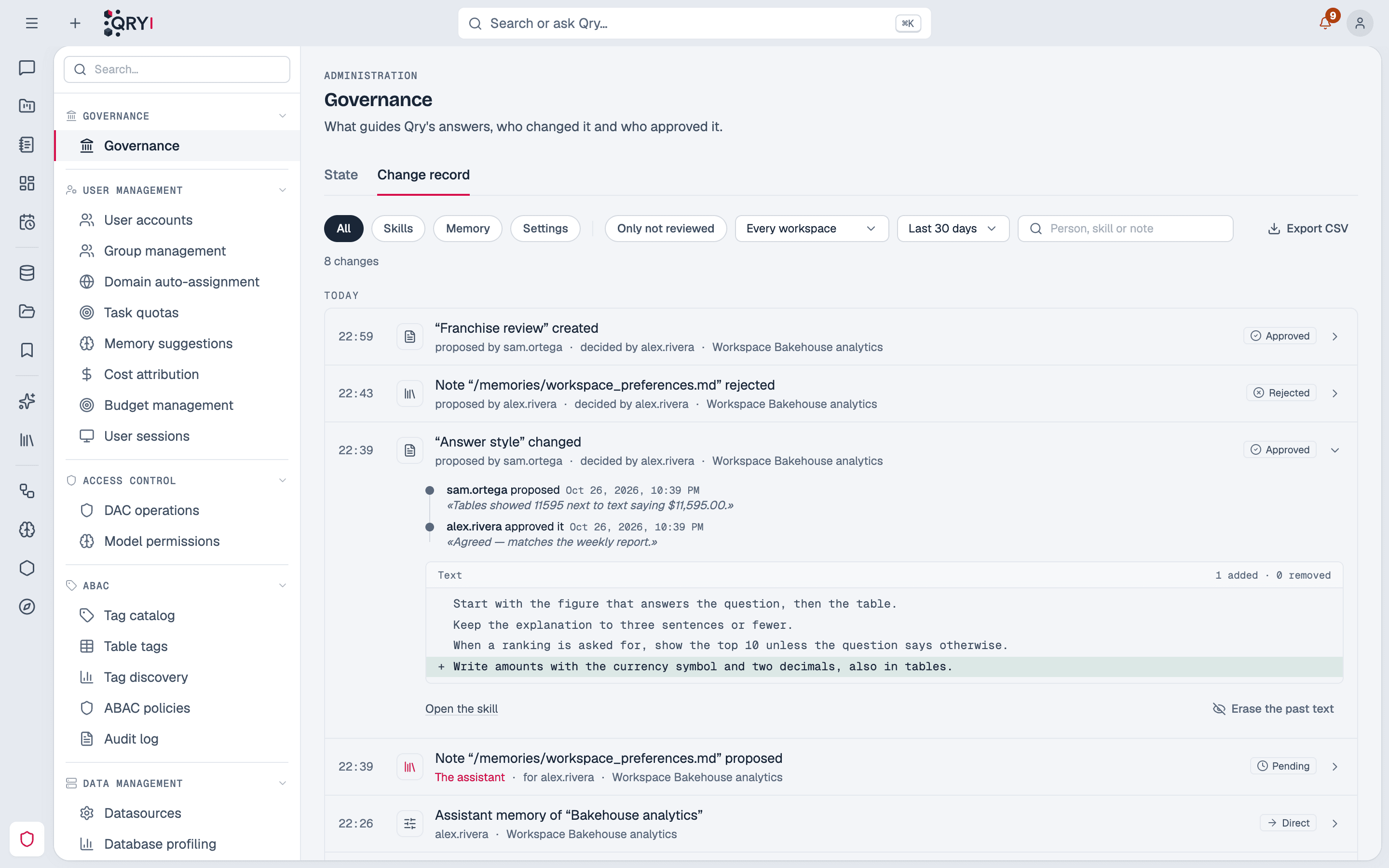
A proposal and its decision are one entry, with its trail: who proposed it and why, who decided and their note. An entry is marked reviewed only when someone other than its author approved it. Open an entry to see the text before and after, line by line.
Filter by kind (skills, memory, descriptions, domains, settings), by workspace and period, show only what was not reviewed, or search by person, skill or note. Export CSV downloads what the filters show.
Why it keeps the text
A skill's own versions are deleted with the skill, and a setting keeps only its current value. The record keeps the text of every change so that what guided an answer can still be read after the skill is gone.
Entries from before the record
When Qry was upgraded to the version with this page, the record was filled from the existing skill versions, proposals and workspace memory history. Those entries say Recorded before this page existed: whether they were reviewed is not known.
What is not recorded
Personal skills and personal memory — they reach only their owner's answers.
Erasing past text
A skill or a note can hold text that later has to go: a person's name, a figure that should not have been written down. In an entry, Erase the past text of this skill or note removes its earlier text for good:
- from every entry of that skill or note in the record (a note's name too);
- from the skill's or note's earlier versions and proposals;
- a proposal of it still pending is closed: nothing is left to approve.
Who changed what, and when, stay — and the erasure itself is recorded. The current text stays as it is: edit or delete the skill or note where it lives.
Keeping text for a limited time
By default the record keeps each change's text as long as the skills' and notes' own histories do — without limit. To keep it for a set time, set Admin › System configuration › AI & Models › Governance record › Keep the text of each change for (days). Every day, the text of older entries is emptied; who, when and what kind of change stay.