Assistant memory
As it works in a workspace, the assistant keeps notes — "a franchise is named with its city", "the fiscal year starts in April" — and reads them in later answers in that workspace. That memory is as influential as a skill, and it is written by the assistant itself, in the middle of a conversation. Qry lets a workspace's owners decide how much to trust it.
Modes
Each workspace has its own mode, set by its owners (or an administrator) in the workspace's settings › Assistant memory:
| Mode | What a note the assistant writes does |
|---|---|
| On | It is saved and read in later answers straight away. The default. |
| Review first | It waits as a pending change until an owner approves it. Answers read only approved notes. |
| Off | The assistant has no memory in this workspace. |
Members see the memory and its mode; only owners and administrators change them.
Review first
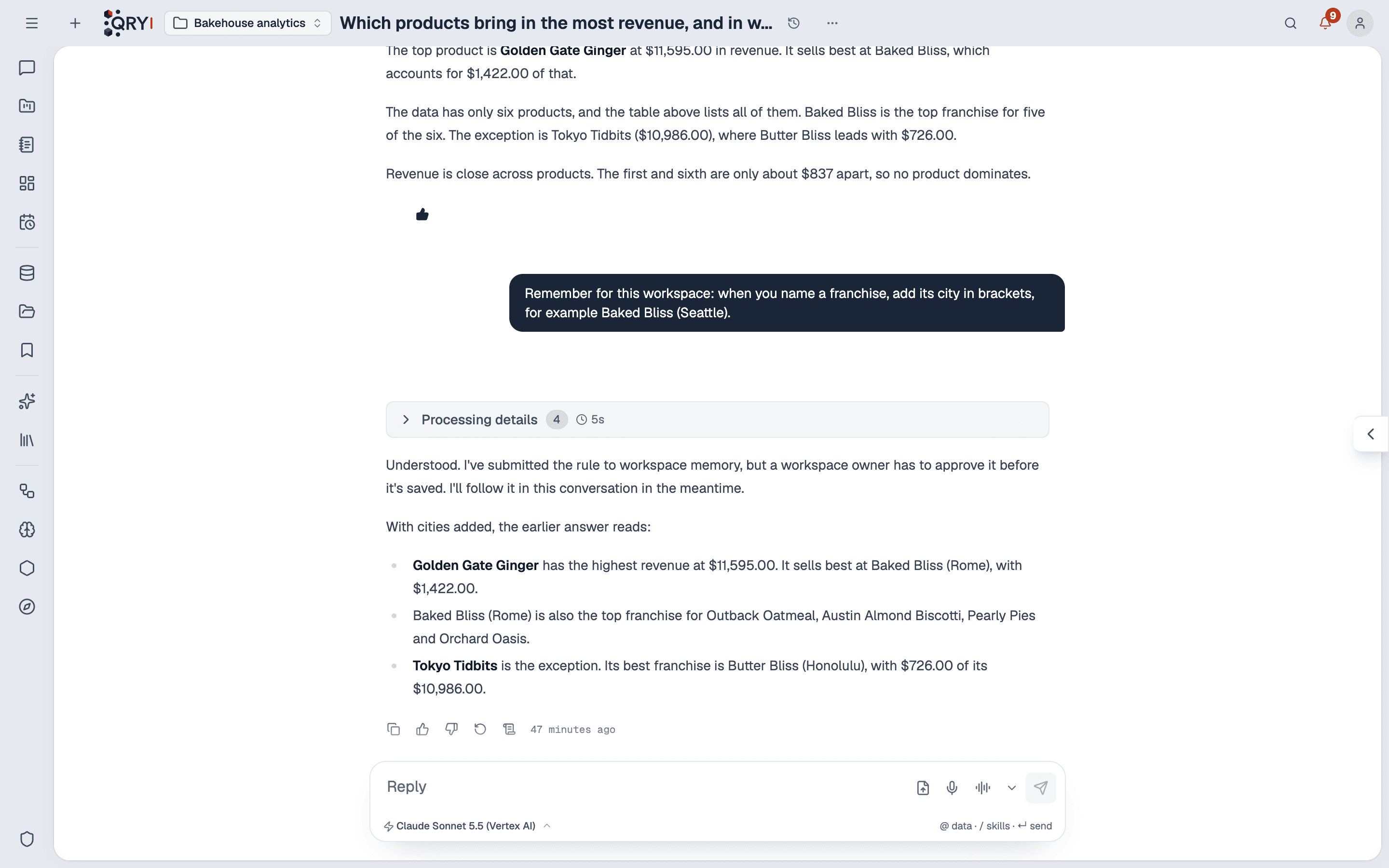
In Review first, when someone asks the assistant to remember something — or it decides a fact is worth keeping — the note becomes a proposal, and the assistant says so in its answer: the rule applies in this conversation, and in others only once an owner approves it.
The owners are notified — at most once an hour per workspace, since one conversation can propose several notes — and find it under Pending changes: the note as it is now and as proposed, the person whose conversation it came from, the model that wrote it, when, and a link to the conversation.
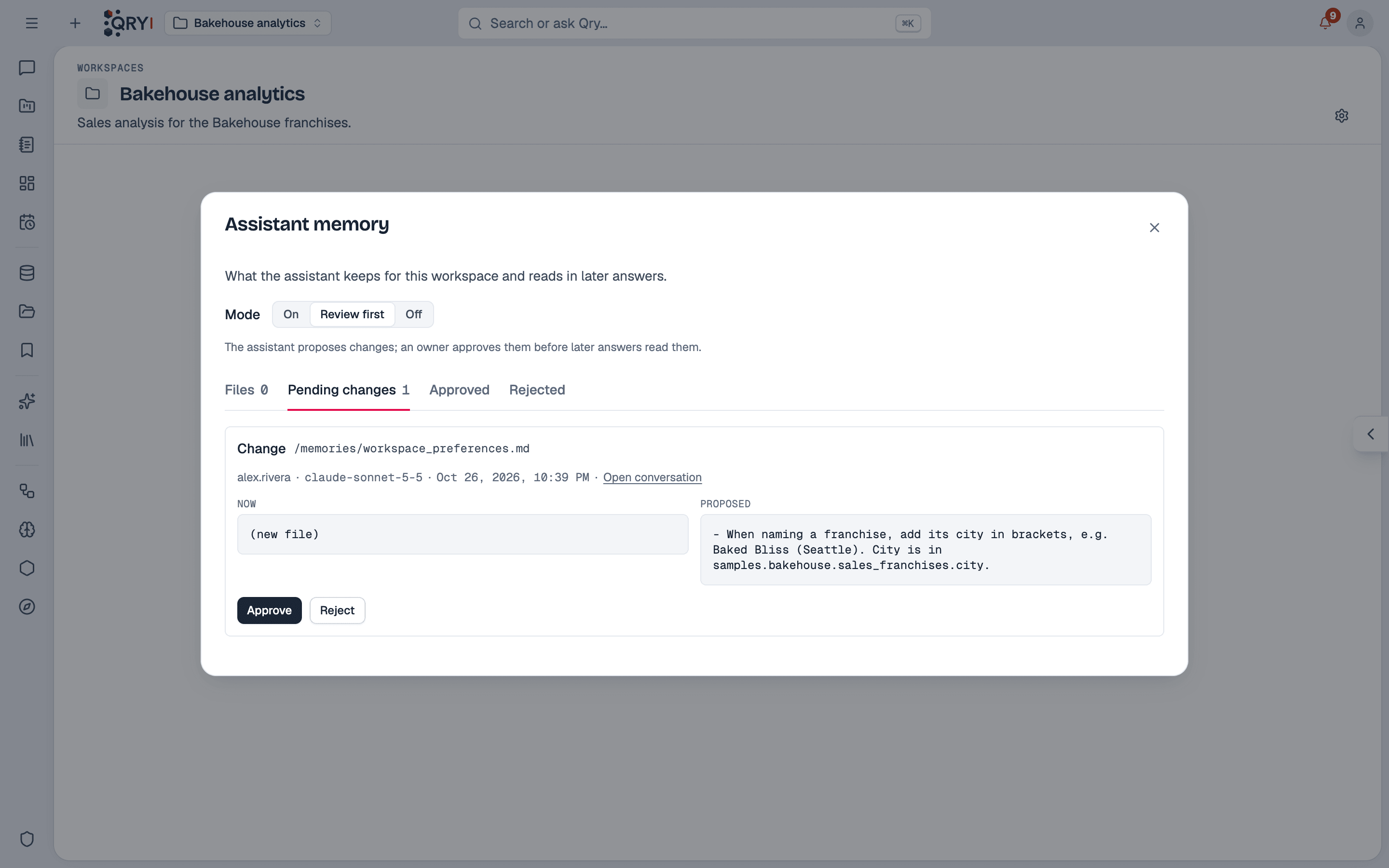
- Approve saves the note; later answers read it.
- Reject discards it. Both decisions are kept, under Approved and Rejected, and in the change record.
- A proposal made against an older version of the note than today's is refused on approval — it would undo the change in between.
- The person whose conversation proposed the note is told when it is approved or rejected.
Notices for the three approval flows — skill changes, assistant memory, column descriptions — are one category, Approvals, in each person's notification preferences, so they can also arrive by Telegram or e-mail.
Who wrote each note
In every mode, each note and each earlier version of it keeps who wrote it — the person whose question it came from, the conversation, and the model. The Files tab shows the notes and their history; owners can delete a note, and the deletion is recorded with who did it.
What memory is not
- Personal memory — what the assistant remembers for one person, outside workspaces — is always on, reaches only that person's answers, and is not reviewed or recorded.
- Answer checks never write memory. A check reads a workspace's approved notes as its members would, or none at all — see answer checks.
- Memory is not a place for data access rules. What a person may read is decided by grants, whatever a note says.