Pinning data and skills
You can tell Qry exactly what a question is about, inside the sentence you type:
@pins a table, view or metric view (or names a connected service such as Gmail)./applies a skill to this question.
Each one becomes a chip in the text. The question reads naturally, and Qry knows which object you meant.
On a phone, the composer's + has the same two: Choose a table types the @ for you and Use a skill the /.
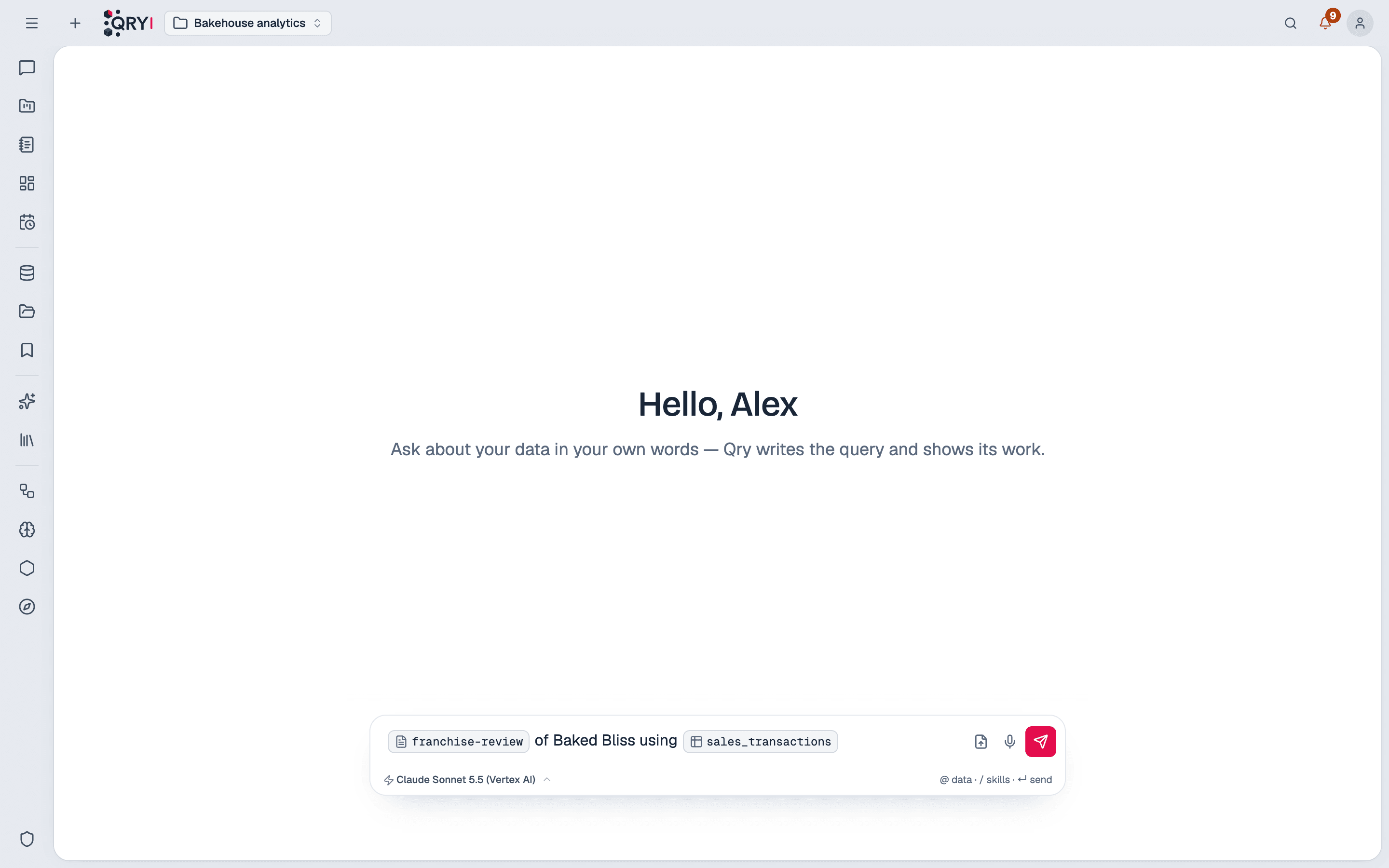
@ — data
Type @ and the start of a name. The menu lists what you can query — the same catalog search as ⌘K, filtered by your permissions — starting with the schema you have selected. Metric views are marked as such.
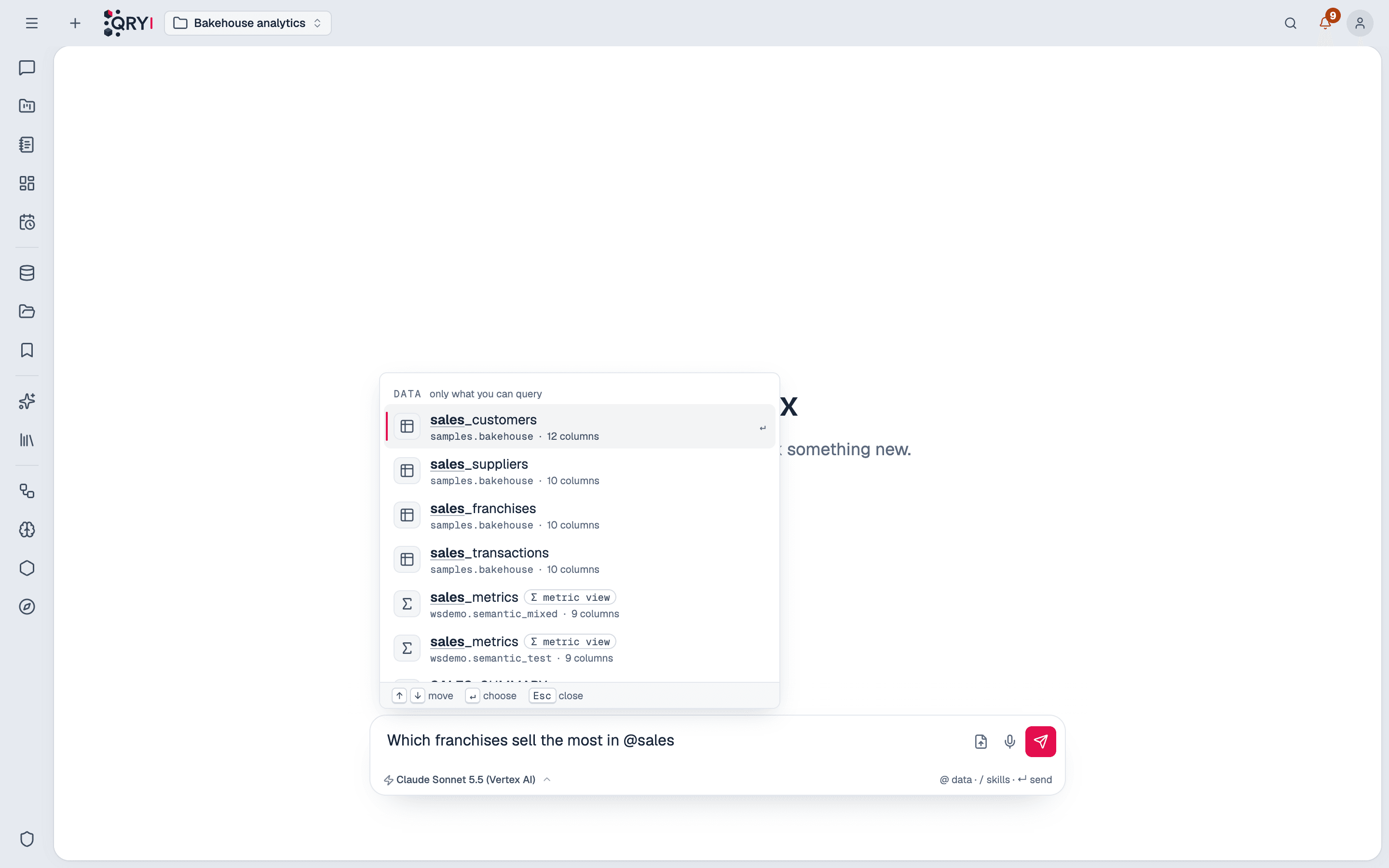
Choose one with ↑ ↓ and Enter, or the mouse. Qry gives the model that object's columns and answers from it — useful when two schemas have a table with the same name.
A question runs where its pinned data lives. If you pin a table on another datasource or catalog, the question is asked there, and the chip by the composer follows, so your next question asks there too. Pins in a second place in the same question are dropped: one answer queries one datasource.
/ — skills
Type / to list the skills that apply where you are. Choosing one applies it to this question even if Qry would not have read it on its own.
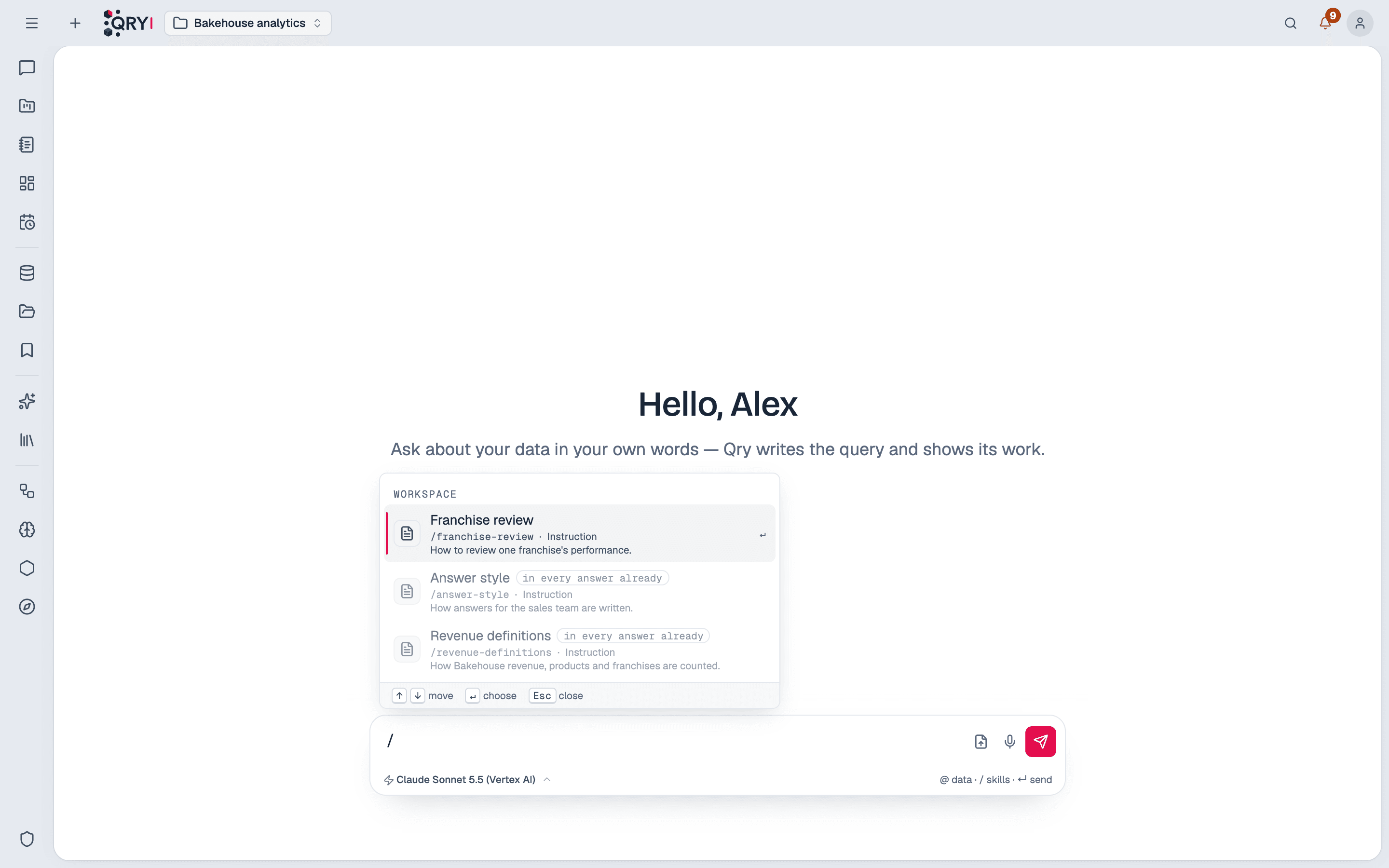
Skills that are already in every answer are listed, dimmed: there is nothing to choose.
Checked every time
Pins are not trusted because they were typed. Every question checks each pin again on the server: a table you cannot query, or a skill that does not apply to the datasource and schema you are in, is dropped.
Afterwards
- The answer's record lists what you pinned under Chosen in the question, and a pinned skill as Chosen by you.
- Generate again asks with the same pins; editing a question keeps the pins whose names are still in the text.
- Enter sends the question, unless a menu is open with something to choose.